
Product Description
This product contains AI-generated content.
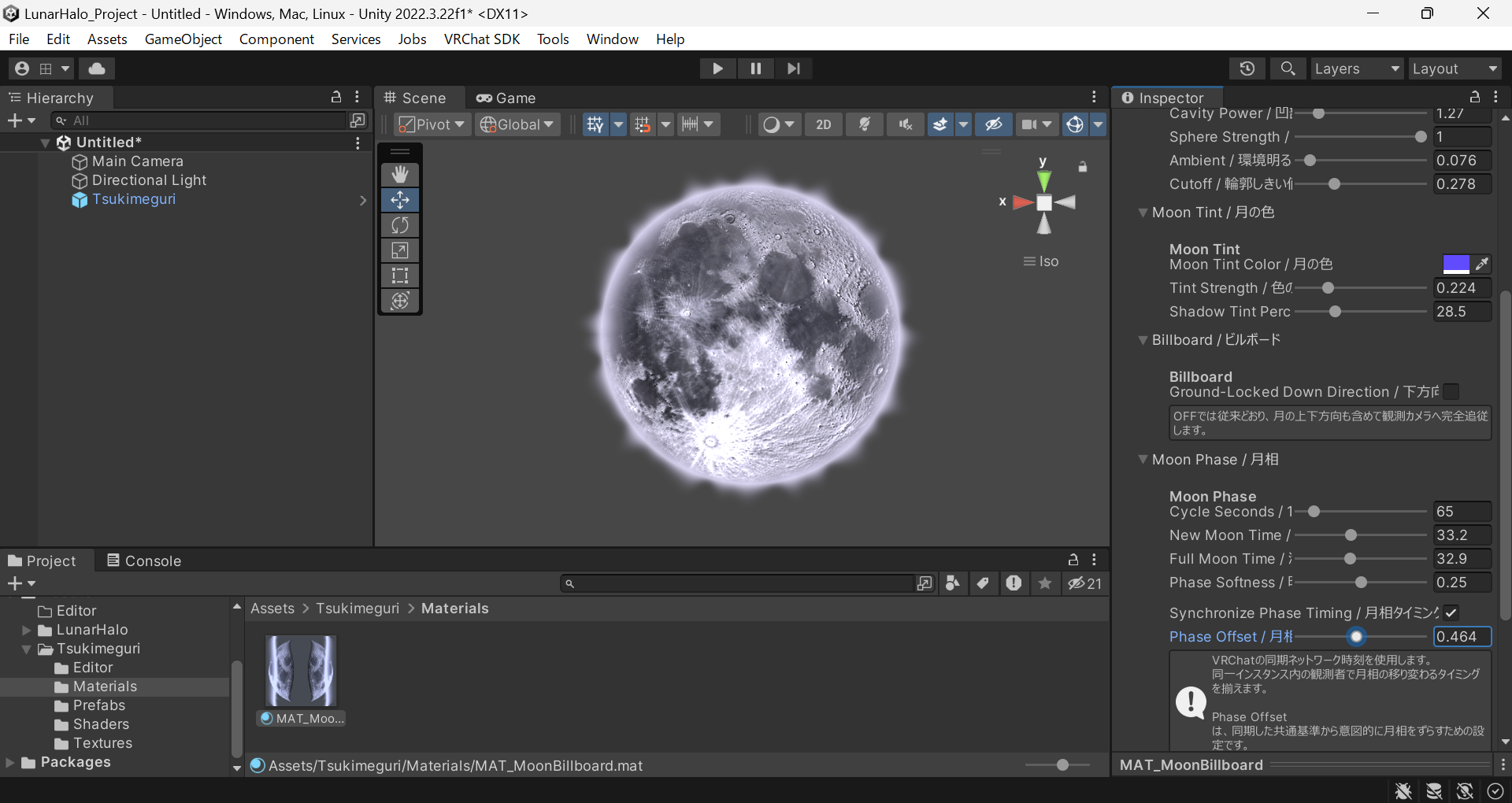
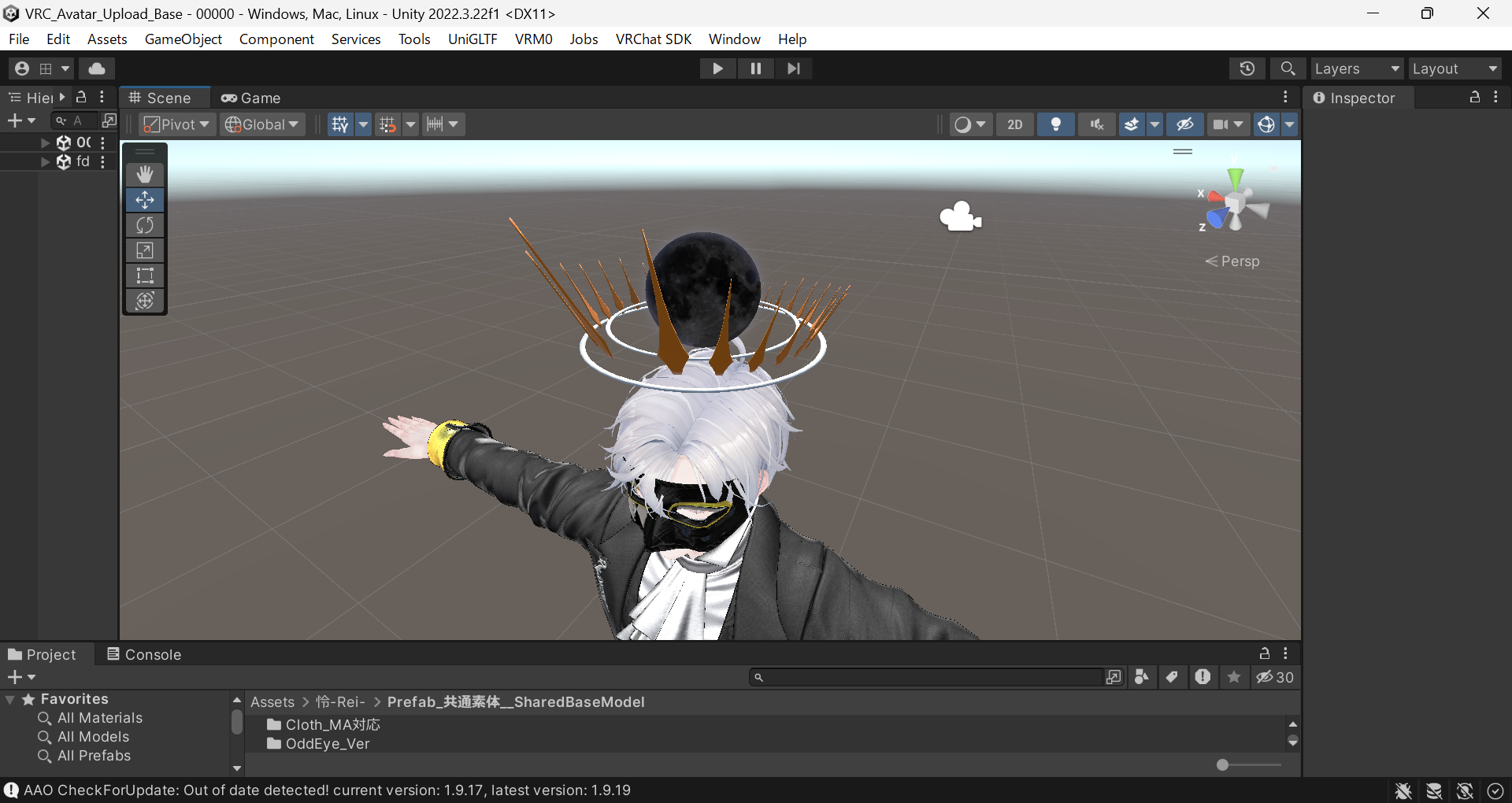
Tsukimeguri - Lunar Cycle - is a dynamic moon gimmick for VRChat avatars and Unity scenes.
It renders a circular moon with pseudo-spherical lighting on a standard Unity Quad. Simply place the included prefab in your scene or under an avatar bone to get started.
IMPORTANT:
This product is intended for the Windows PC version of VRChat.
Quest Standalone / Android VRChat is NOT supported because Tsukimeguri uses a custom shader.
Meta Quest headsets can still use Tsukimeguri when running the PC version of VRChat through PCVR, such as Virtual Desktop, Quest Link, or Air Link.
FEATURES
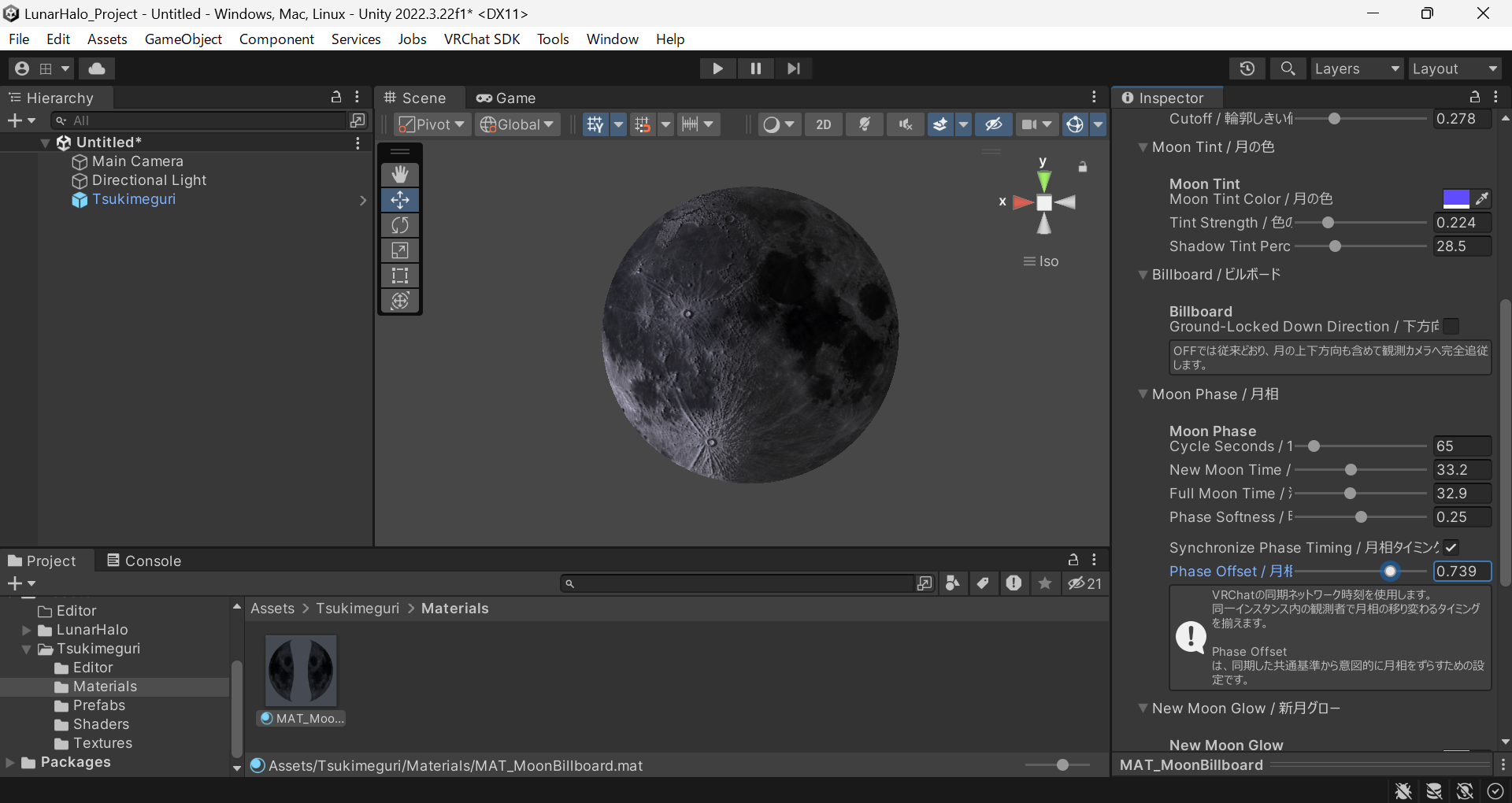
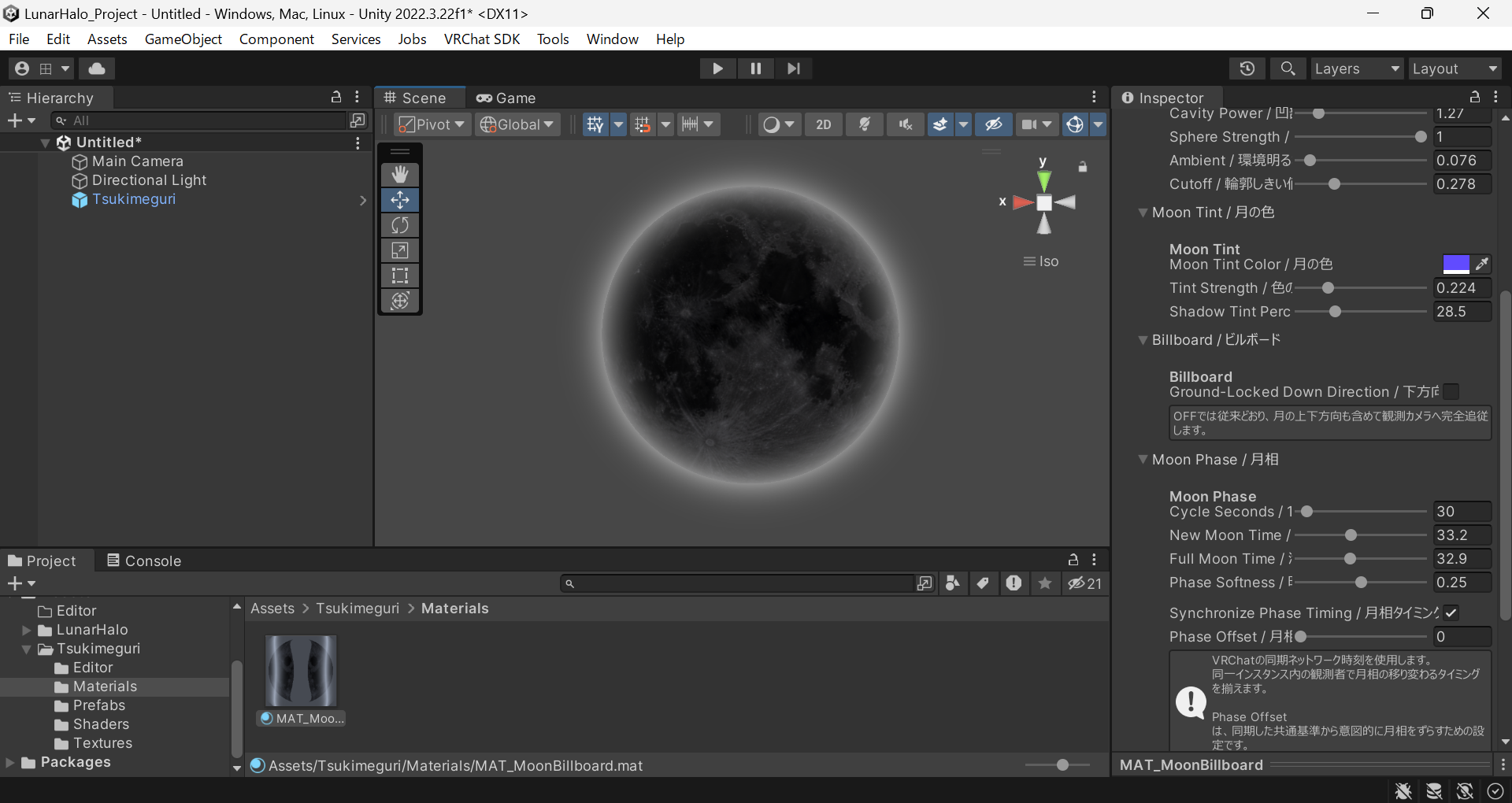
• Automatic lunar phases with Phase Offset
• New Moon Glow and Full Moon Glow
• Full Moon Aura Wave
• Moon Tint, Normal, Height, and Cavity controls
• Camera-facing Billboard and Ground-Locked Down Direction
• VRChat Network Time synchronization
• Dedicated Moon Shader and Custom Inspector
REQUIREMENTS & SETUP
• Windows PC version of VRChat
• Quest Standalone / Android VRChat is not supported
• Meta Quest + PCVR is supported when using the Windows PC version of VRChat
• Unity 2022.3.22f1 baseline
• No lilToon dependency
Import the included .unitypackage, then place the Tsukimeguri prefab in your scene or under an avatar bone.
The prefab already includes the Unity Quad, Material, and custom Shader, so you do not need to create a Quad manually.
Japanese and English guides (HOWTO_JA.md / HOWTO_EN.md) are included.
PC / QUEST COMPATIBILITY
Tsukimeguri uses the custom shader:
Tsukimeguri/MoonBillboard
Because of this, the product is designed for the Windows PC version of VRChat.
Supported:
• Windows PC VRChat
• Meta Quest + Virtual Desktop
• Meta Quest + Quest Link / Air Link
• Other PCVR setups running the Windows version of VRChat
Not supported:
• VRChat running directly on Meta Quest in Standalone mode
• Android VRChat
NOTES
When Synchronize Phase Timing is ON, the moon may appear paused in Unity Edit Mode because VRChat Network Time may not be available there.
Turn synchronization OFF when previewing the lunar cycle directly in the Unity Editor.
In VRChat, the final appearance of the Glow may vary depending on the world's Bloom and post-processing settings.
LICENSE
The MIT License applies only to:
• MoonBillboard.shader
• TsukimeguriMoonShaderGUI.cs
Textures, Materials, Prefab, product design, product images, and other non-code product assets are not covered by the MIT License.
NON-CODE ASSET USE
You may use the included textures, materials, prefab, and other non-code assets on a VRChat avatar or world you personally use.
You may:
• Modify the assets
• Use them on your own VRChat avatars or worlds
• Show them in videos, streams, and screenshots
• Use them in monetized videos and streams
You may not:
• Redistribute the product assets, in whole or in part
• Resell the product assets, in whole or in part
• Share the product in a way that allows other people to independently obtain the included non-code assets
The MIT License governs MoonBillboard.shader and TsukimeguriMoonShaderGUI.cs and takes precedence for those two code files.
CREDITS / AI DISCLOSURE
Shader and Custom Inspector code implementation:
ChatGPT (OpenAI) was used extensively during implementation, debugging, and refinement.
ChatGPT image generation was also used during concept development and for some generated images.
INCLUDED DOCUMENTATION
• README.md
• HOWTO_JA.md
• HOWTO_EN.md
• LICENSE_SHADER.txt
PRODUCT VIDEO
https://youtu.be/hGI0XxpGp9Y